

Oversee and manage your response to personal data breach incidents - in line with DPDP Act, RBI, SEBI, CERT-In and other regulatory requirements
Ensure that breach notices are sent on time to the relevant regulator/s
Get visibility on affected systems automatically, since the module is connected to DPIAs and ROPAs built on Consentin
Track status of incident resolution across teams, and receive incident reports from vendors
Get a tamper-proof record of each and every action taken in response to the breach
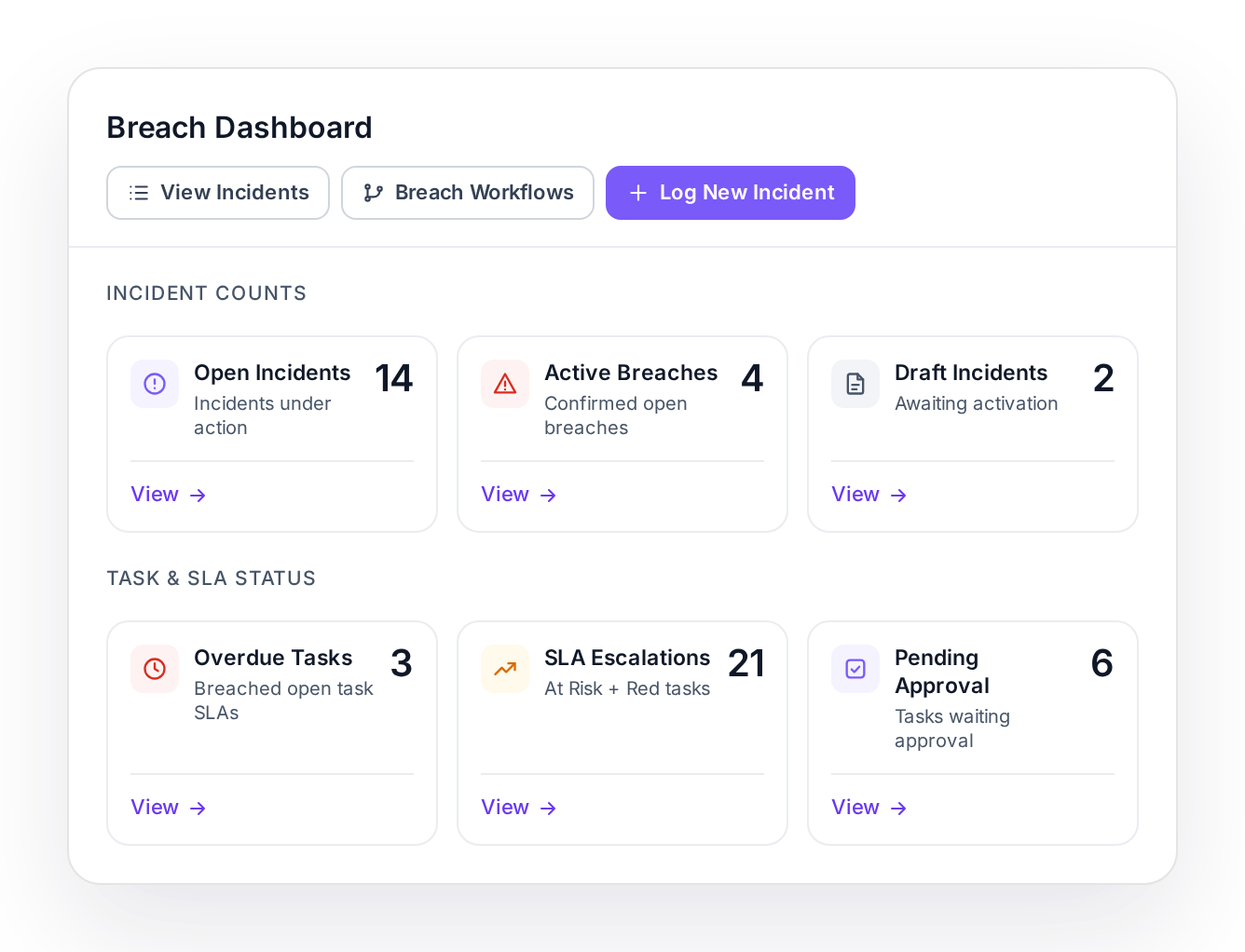
Breach Dashboard showing incident counts and task and SLA status

When a breach happens, several reporting deadlines start at once

When a breach happens, a Data Fiduciary has to:

notify the Data Protection Board and every affected Data Principal without delay
send the Board a detailed report within 72 hours
if it is a regulated entity (banks, NBFCs, insurers, stockbrokers etc.), report the breach as a cyber incident to CERT-In within 6 hours, and report to its regulator (RBI, IRDAI, SEBI etc.) within the regulator-mandated timeline

All of these clocks start while the team is still working out what happened, which data was involved, and whose data it was.

This can lead to chaos.

Consentin BRM provides order to the chaos by giving you one secure portal to oversee, respond to and track your response across teams and vendors.

Detection
All clocks start
Without delay
DPB + Data Principalsintimation
6 hours
CERT-Incyber incident report
72 hours
DPBdetailed report
Own timeline
RBI · SEBI · IRDAIsector regulator

How Consentin BRM works

DetectionExample incident · INC-0142
10:02
Incident logged from SIEM · severity High
Step 1

When a breach incident is detected by your SIEM, Consentin BRM automatically logs the incident
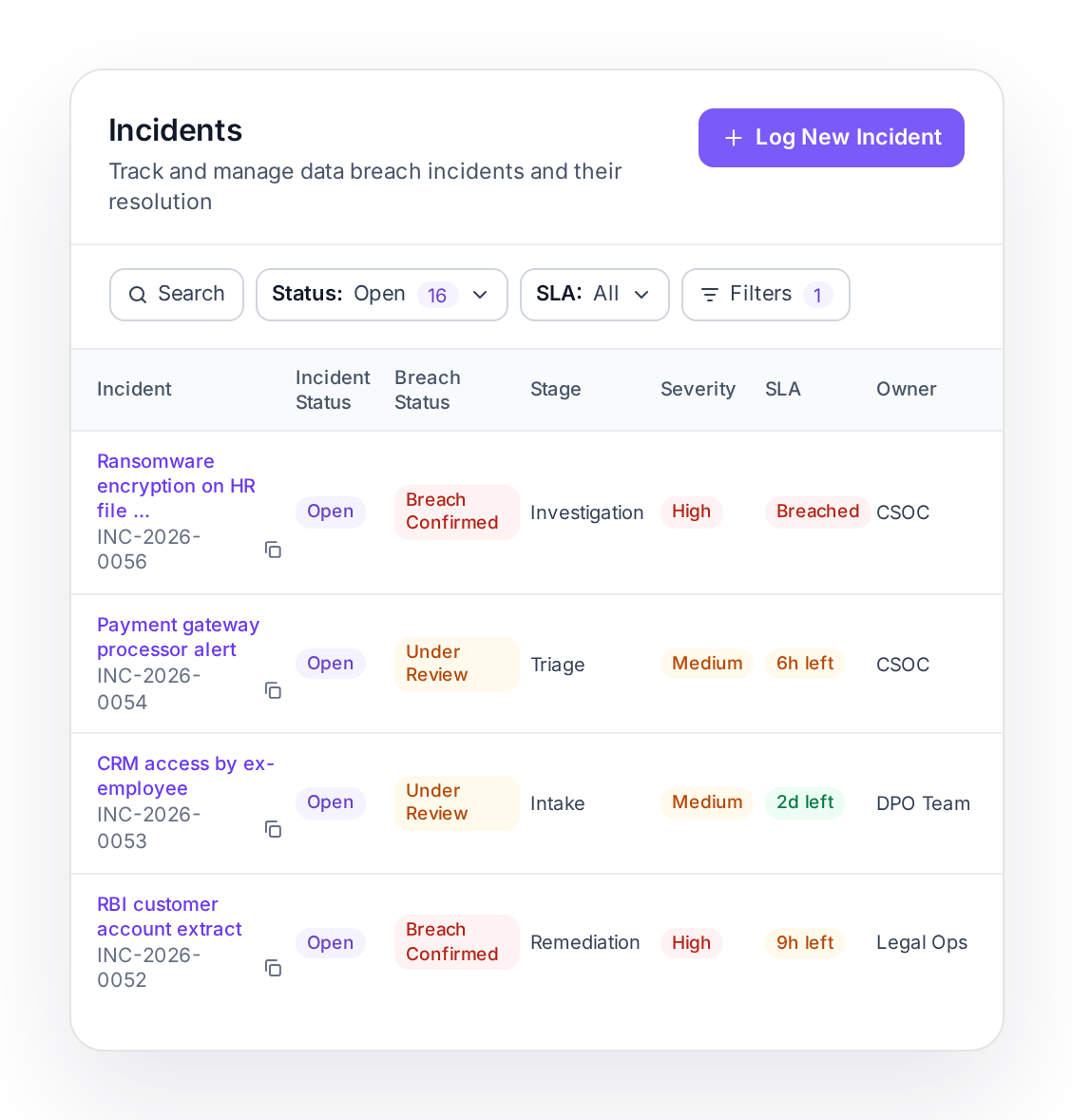
Incidents logged automatically via API call from your SIEM
Your team and vendors can also log incidents manually via intake forms
Consentin suggests a severity rating based on the number of people affected, sensitivity of data, how much was exposed and the likelihood of harm
Incidents list with incident status, breach status, stage, severity, SLA and owner
13:15
CERT-In notice approved and submitted
Step 2

Send notices to the DPB and relevant regulators on time to avoid penalties
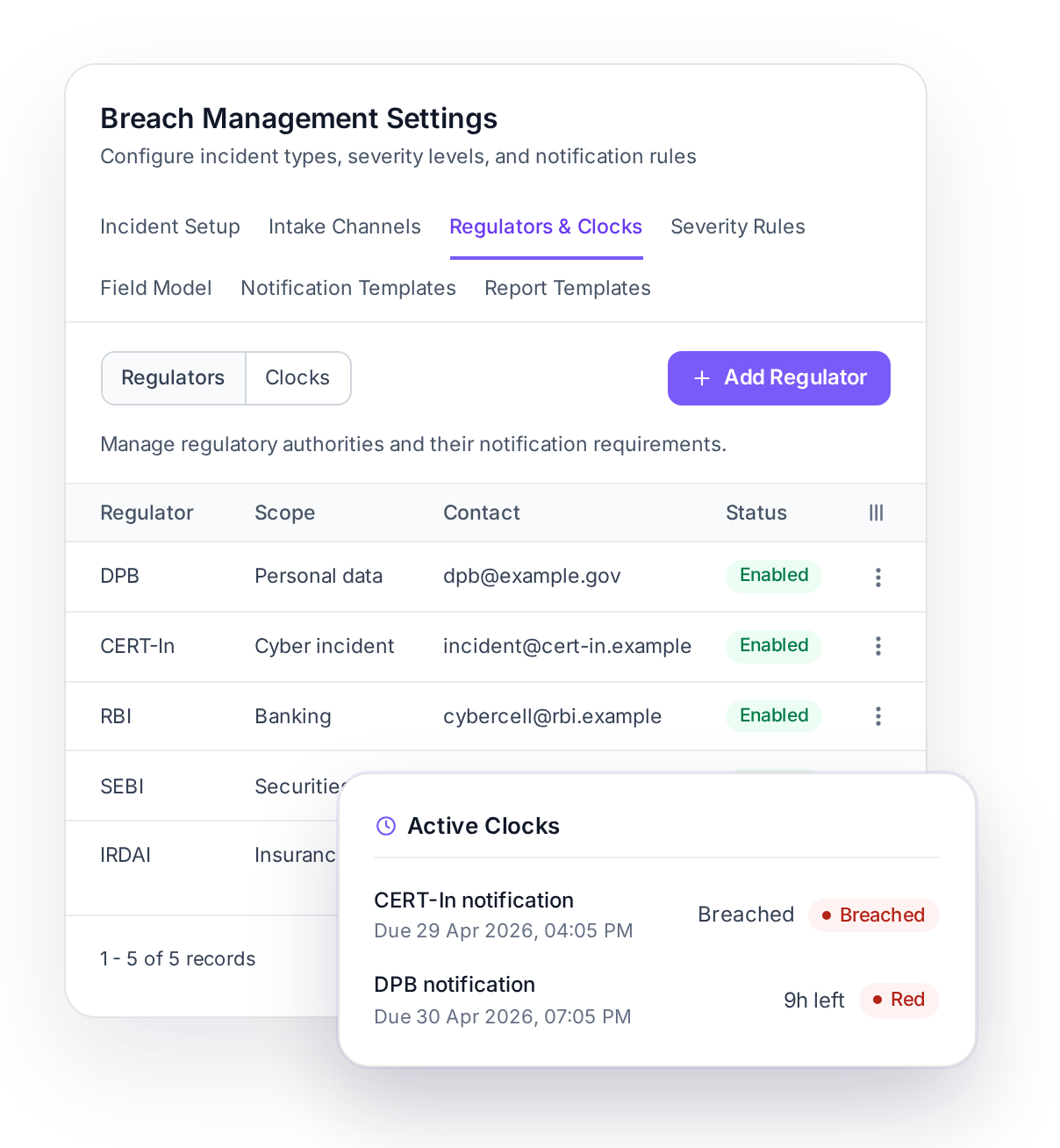
Configure response clocks as per your legal-approved SOP
Clocks start running automatically based on agreed upon trigger events
Escalation alerts go to the respective teams as each deadline approaches - to help prevent slippages.
Generate notices instantly with pre-approved templates - then route them through your approval flow and submit them
Regulators and Clocks settings with the Active Clocks card
15:40
Affected Data Principals identified from ROPA · notices sent
Step 3

Find and notify the affected people

If you use Consentin's ROPA Maps, Breach Response Management automatically identifies the affected Data Principals and the affected processing activities directly from your ROPA so you don't have to reconstruct this under pressure after an incident.

Once this is done, send out breach notices from within Consentin.
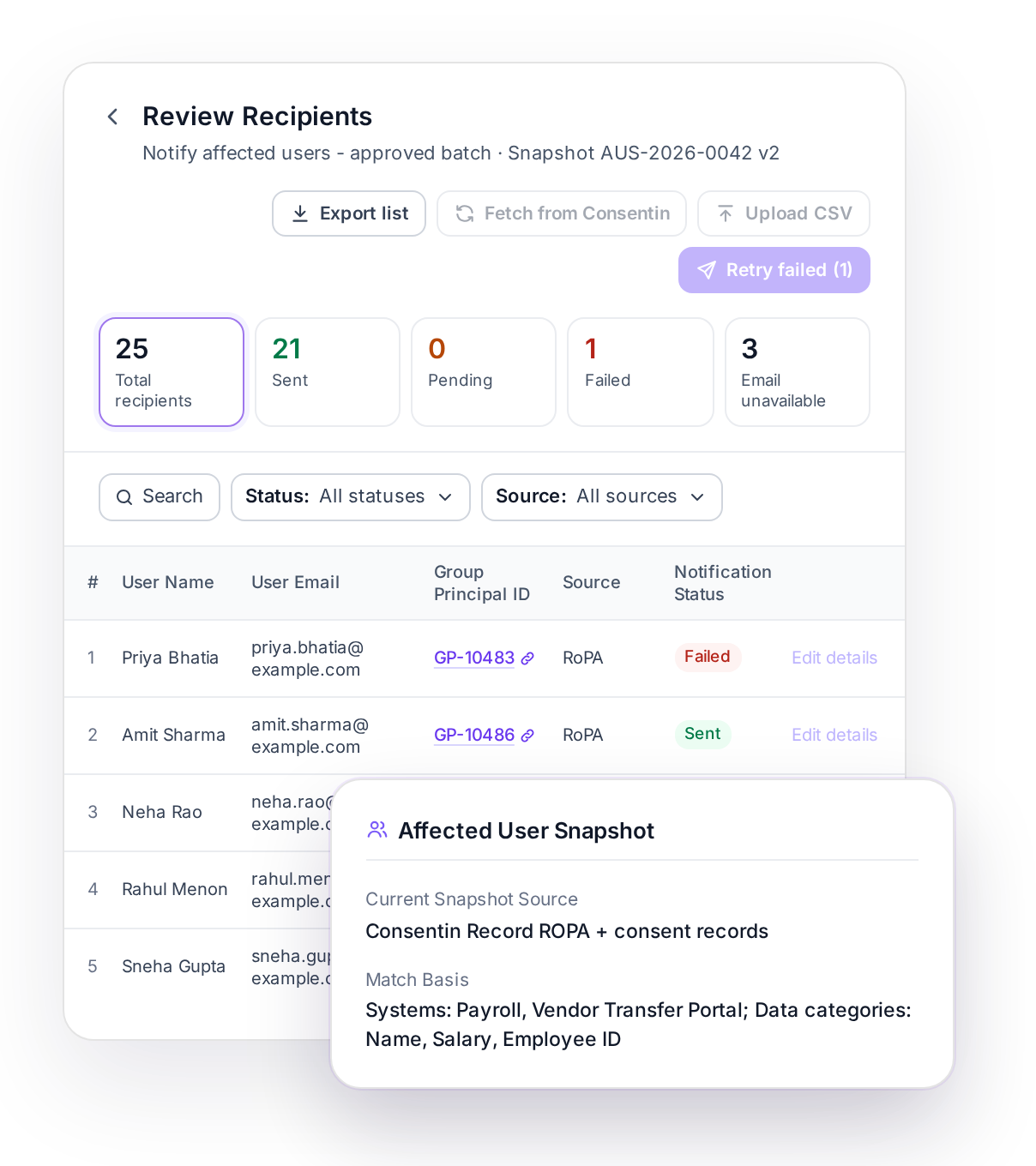
Review Recipients with the Affected User Snapshot from RoPA
Day 2
Containment task closed by IT Security
Step 4

Track status of incident resolution across teams

Root cause analysis, containment and corrective actions are assigned tasks with owners, so you can track status of incident resolution across teams.
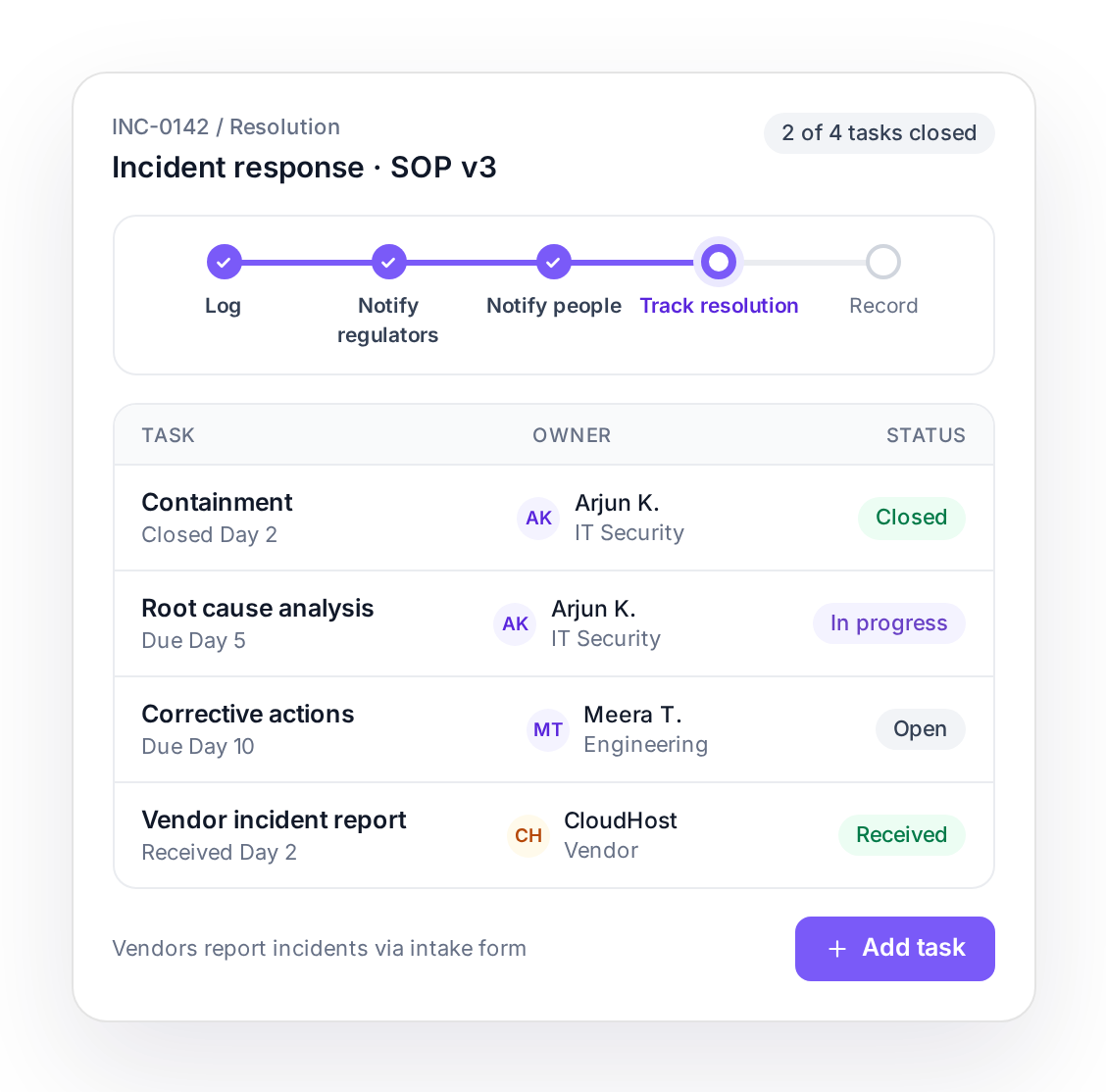
Incident resolution tasks with owners and status
Every step
Each decision, approval and notice above is on the record
Step 5

Get a tamper-proof record of every action

Every decision, approval and notice is logged in tamper-proof logs. Use it to demonstrate reasonable security safeguards to the DPB and relevant regulators.
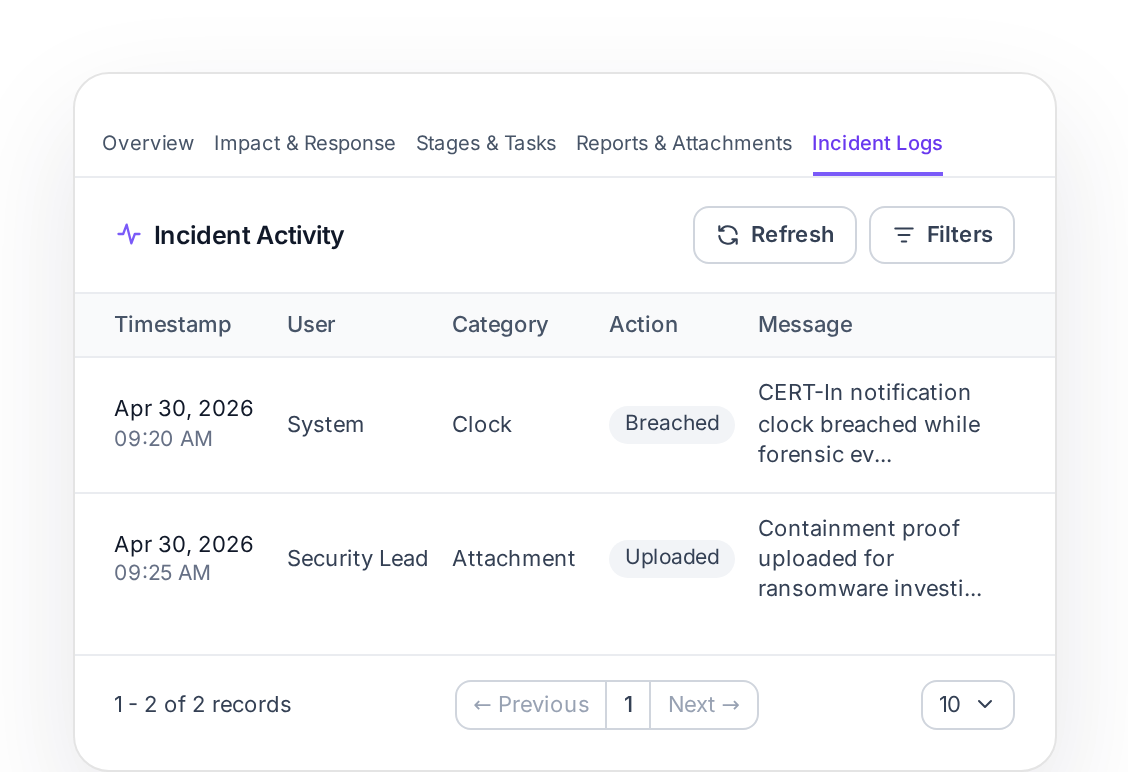
Incident Logs showing the incident activity record

Customize the breach response workflow as per your own SOPs

Customize Breach Response Management to follow your own breach SOP, so the correct approved procedure is followed during incident response. You are not forced into a rigid response pattern.
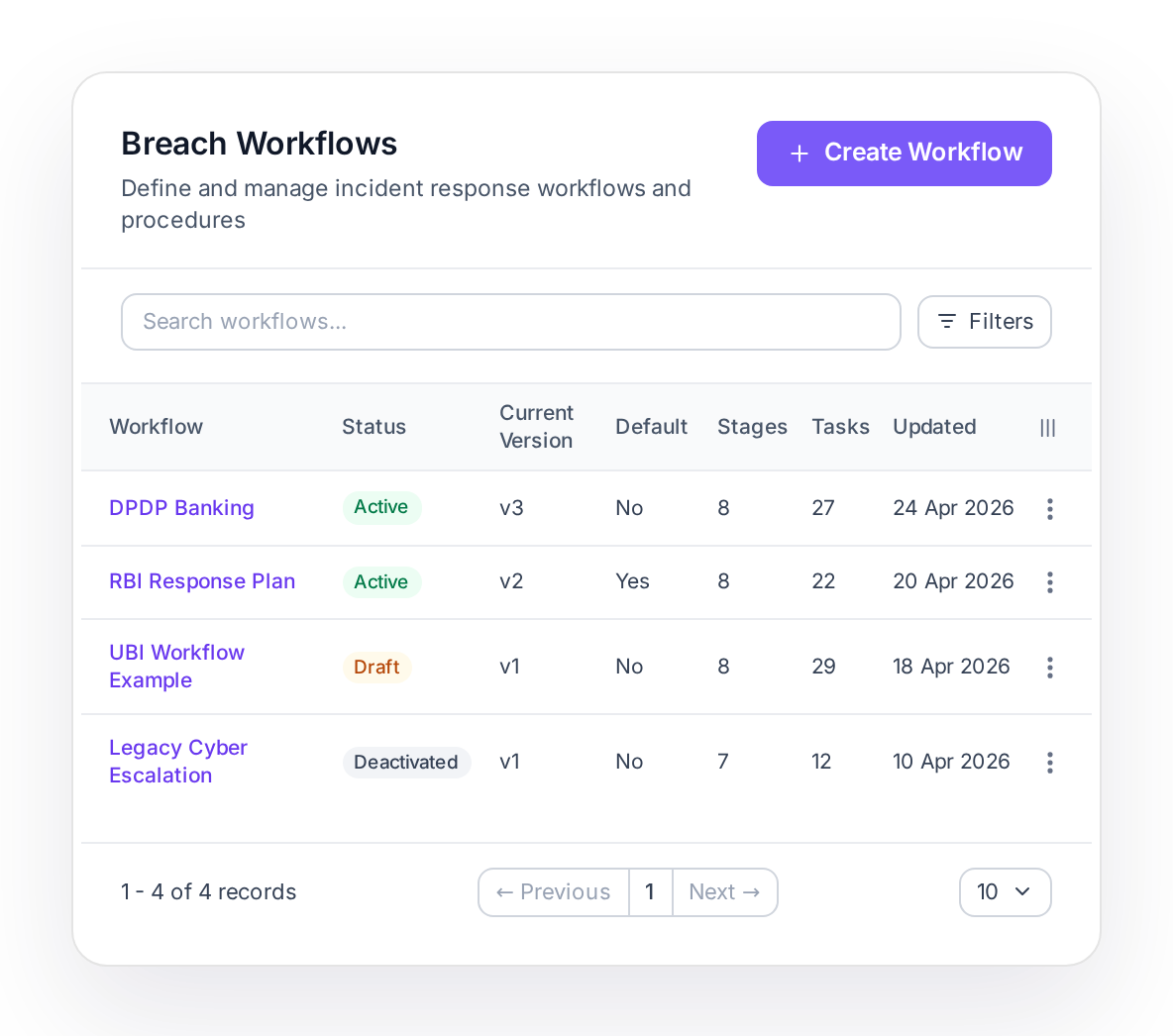
Breach Workflows list showing workflows, status, version, stages and tasks

Consentin BRM vs other breach management tools

Consentin BRM
Most breach management tools
Regulators
Consentin
DPB, CERT-In, RBI and SEBI deadlines and templates on one incident
Most tools
Built around the DPDP Act alone
Response workflow
Consentin
Follows your own breach SOP
Most tools
A fixed response pattern
Affected people
Consentin
Identified from your ROPA Maps
Most tools
Reconstructed by hand after the incident
Record of the response
Consentin
Tamper-proof log of every decision, approval and notice
Most tools
Activity log
Consentin is built by Leegality, which generates legally admissible audit trails for lakhs of documents every day.

Breach Response Management syncs smoothly with your SIEM

Consentin BRM plugs into your SIEM easily with our API:

Automatic incident notification: Your SIEM creates incidents in Breach Response Management through the API, and Breach Response Management notifies your SIEM when an incident is created
Connect ticketing and internal systems as well
Your SIEM
Consentin BRM

Purpose built features for DPOs and CISOs

Breach drills

Run sandboxed breach drills through test incidents to prepare your teams

Classify incidents

Record whether an incident is a personal data breach, and whether it is a reportable cyber incident.

Linked compliance record

Connect each incident to ROPA entries, consent records and DPIAs.

Severity overrides with a reason

Change the suggested severity with a written, recorded reason

Frequently asked questions

Does Breach Response Management detect breaches?
+
No. Your SIEM and security team detect and contain the incident. Breach Response Management runs the breach response: decisions, notices, deadline clocks and the record.
Can it file directly with the DPB or CERT-In?
+
No regulator publishes a filing API today. You prepare the notice in Breach Response Management, route it for approval, and record the submission with its reference number and proof.
Which regulators are supported?
+
The DPB, CERT-In, RBI and SEBI come pre-set, with their own clocks and templates. You can add other regulators, such as IRDAI.
Are notices sent automatically?
+
No. Every notice goes out after approval, when your team sends it.
How are affected people notified?
+
By email from the platform. You can also export the approved recipient list to your own SMS gateway.
What happens if our SOP changes in the middle of an incident?
+
Each incident keeps the version of the SOP that was in force when it started, so the record shows the procedure as it stood at the time of the breach.

Sign up for a DPDP Demo to start using Consentin

In 35 minutes, we will:
Give you a 10-minute breakdown of how the DPDP Act changes your existing flow
Give you a 25 minute demo of the Consentin DPDP Compliance Platform - and how to set it up
Answer any of your questions
Give you a free Consentin account to avail the offer
Thank you! Your submission has been received!
Oops! Something went wrong while submitting the form.

Compliance Deadline:

0 weeks away